Typing the address again?
Proxy Companion finds it.
Start MonoProxy on your phone, then choose the discovered service on Mac. No copying an IP address or port.
 Proxy Companion
The Mac companion to MonoProxy
Connect your Mac to an HTTP, HTTPS CONNECT or SOCKS5 proxy. Discover MonoProxy on your iPhone, save proxy sign-in in Keychain and route eligible apps with transparent proxy rules.
macOS 13+ · Apple Silicon & Intel builds
Transparent mode · Eligible connections follow your rules.
Typing the address again?
Start MonoProxy on your phone, then choose the discovered service on Mac. No copying an IP address or port.
Another proxy password prompt?
Save your proxy credentials in Keychain. Proxy Companion authenticates with the phone service on behalf of connected apps.
An app ignores system proxy?
Transparent mode handles eligible app connections, so the app does not need to read macOS proxy settings.
Picking a proxy again?
Enable automatic failover to try eligible saved proxies in order, while keeping your connection mode.
1.7.0 workspace preview
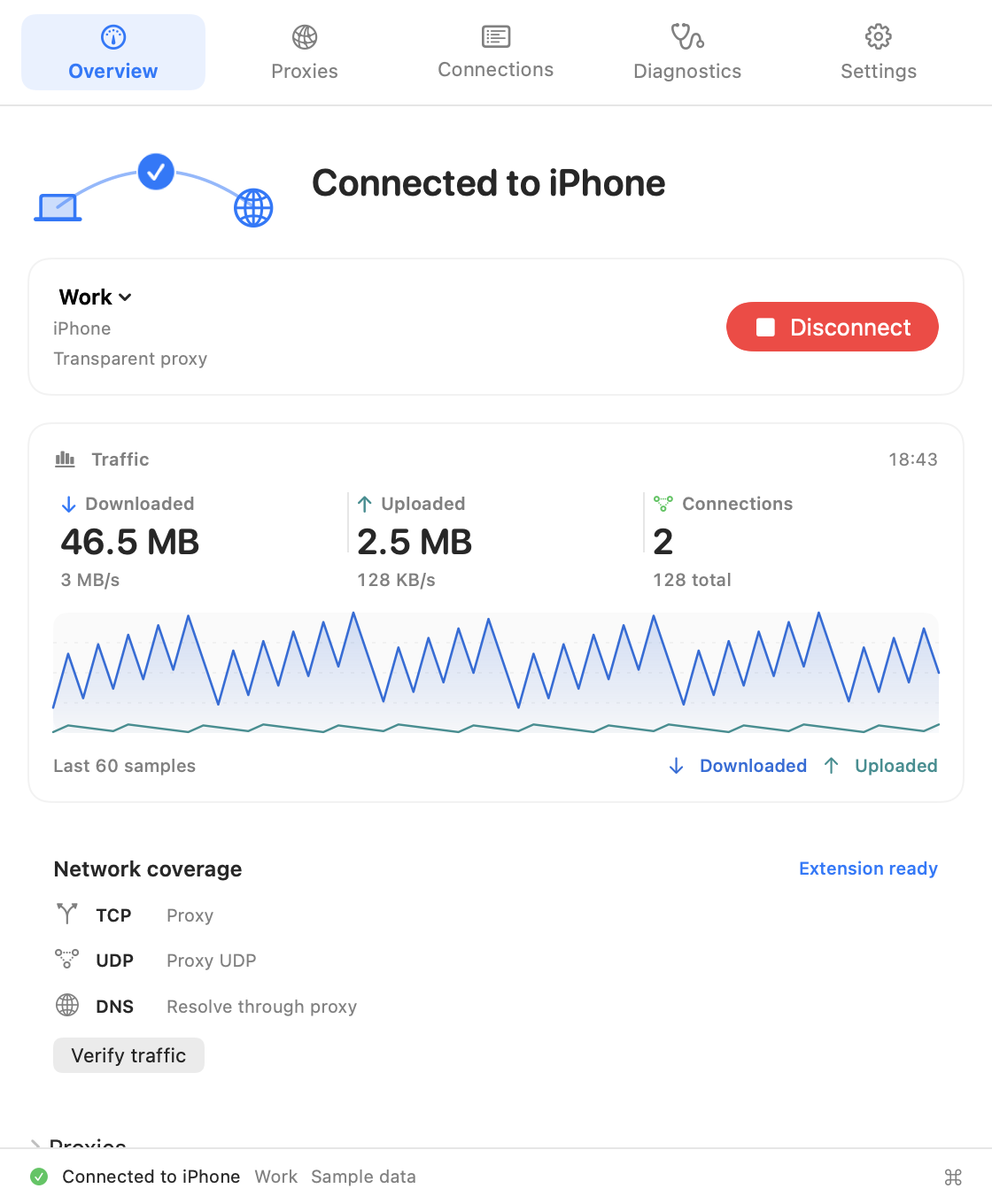
Follow live traffic, narrow down a connection and find the next step when something needs attention. All in a native Mac workspace.
See the proxy in use, transferred data and current rates together. Switch configurations, check coverage or open quick commands without leaving your workspace.
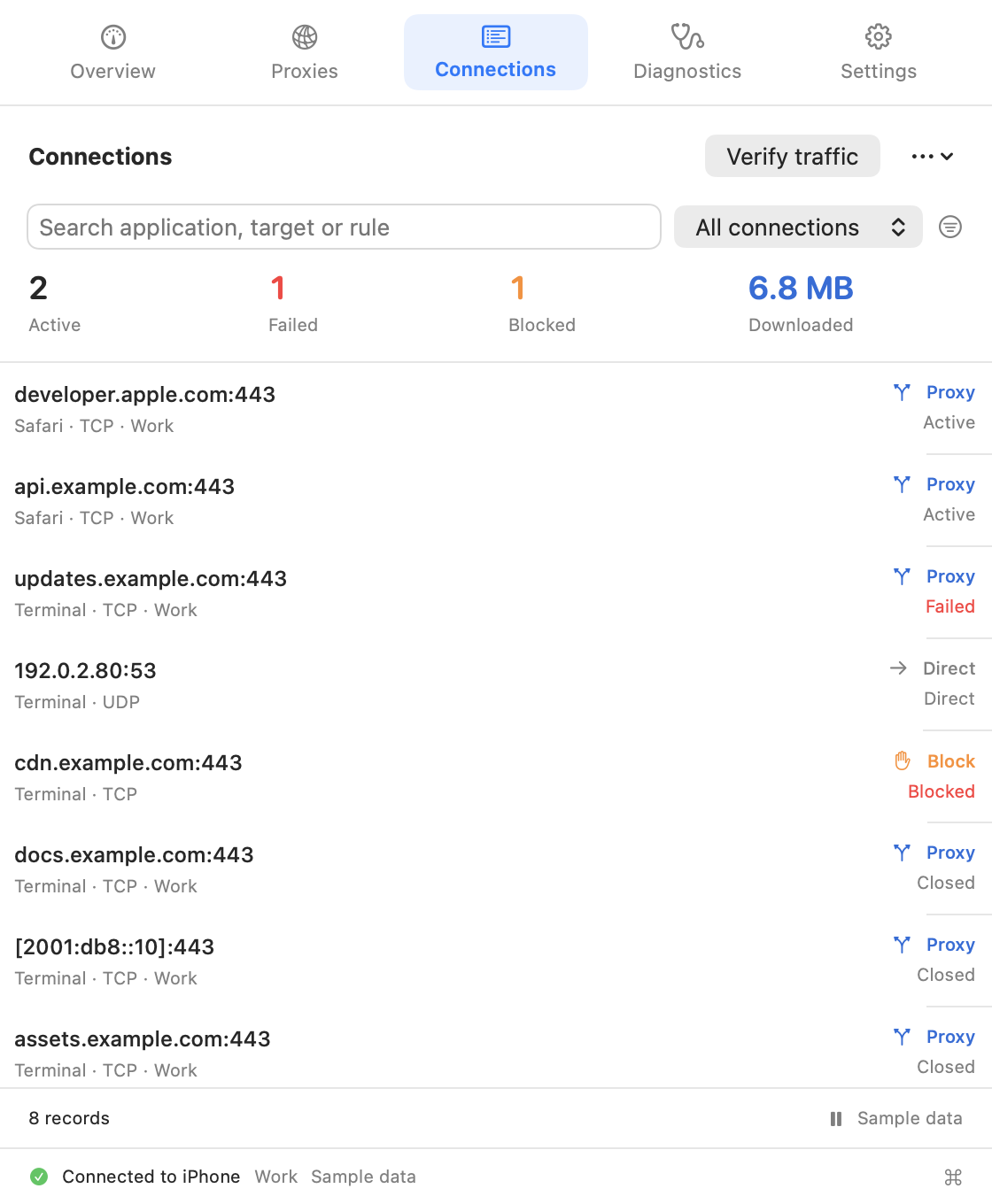
Combine application, destination, port and rule searches with route, protocol and time filters. Pause a snapshot to inspect it while proxy traffic continues.
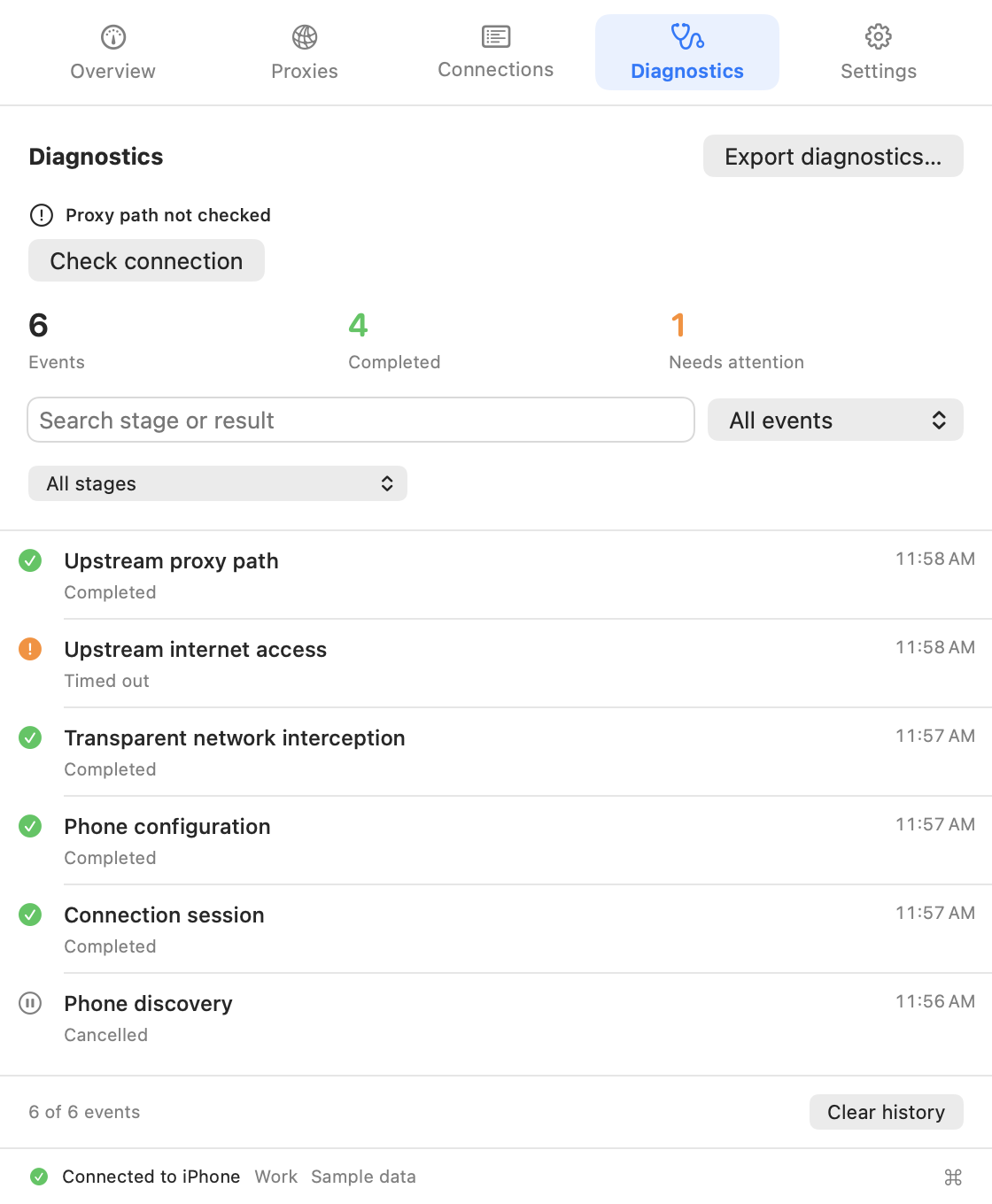
Filter events by stage and result, inspect an event for practical guidance, then copy or export the details you need.
Select a view. Click the app to enlarge.
Connect in three steps
Set the proxy service’s username and password on your iPhone if you want authentication, then start the service.
Keep both devices on the same local network. Add the discovered phone as a configuration; enter the same proxy credentials if required.
Connect the saved configuration. Approve the network extension the first time you use transparent mode, then check the connection status on both devices.
Your phone, first.
Other proxies, too.
Use an existing upstream
when you need one
After discovery, more control
Transparent mode handles eligible app connections, even when an app ignores system proxy settings. Choose what to proxy, connect directly or block.
Illustration: Safari connects to example.com through the iPhone proxy.
Fine control, when you need it. Match TCP by app, domain, IP/CIDR and port. Route UDP by app.
Explore the controls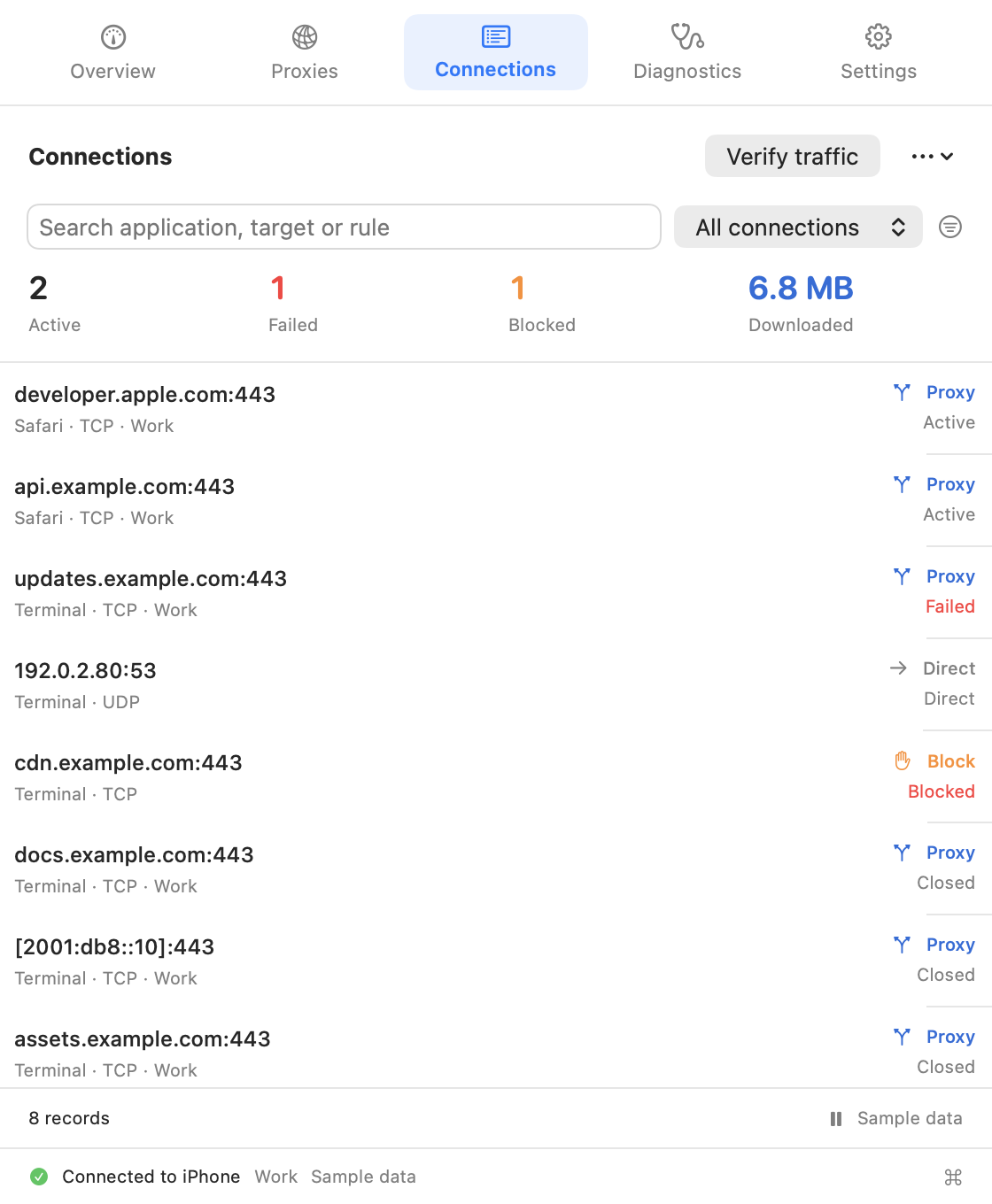 Native app preview · Sample data
See the connection
See which apps use the proxy and which rules apply. When something fails, start with the connection details.
A companion with room to grow
Send rules to different upstreams. Build TCP chains without silently falling back to a direct connection.
Proxy, connect directly or block based on upstream capabilities. Resolve through a SOCKS5 upstream.
Restore the system proxy changes Proxy Companion made while preserving changes made elsewhere.
Keep authentication in macOS Keychain. Exported configurations do not contain passwords.
Test upstream paths with configurable HTTP/HTTPS targets without switching your active configuration.
Import and export rules and proxy references while keeping credential identities separate.
Use ⌘K to find pages and saved proxies, ⌘F to search connections or diagnostics, and ⌘1–⌘5 to navigate.
Use macOS Shortcuts to connect, disconnect and check connection status.
Run MonoProxy on your iPhone. Let Proxy Companion discover the service on your Mac, then add a configuration and connect. Manage the service on one screen and your Mac apps on the other.
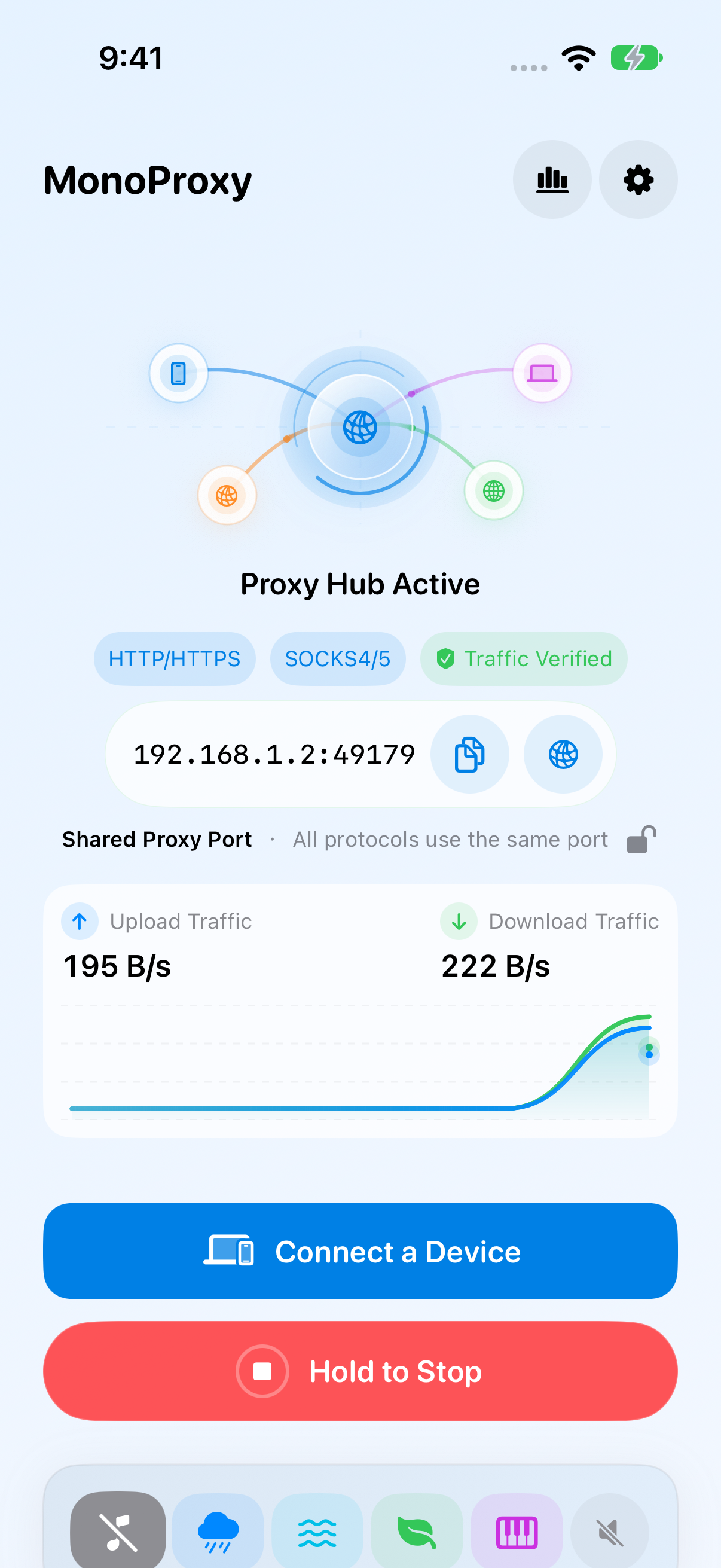
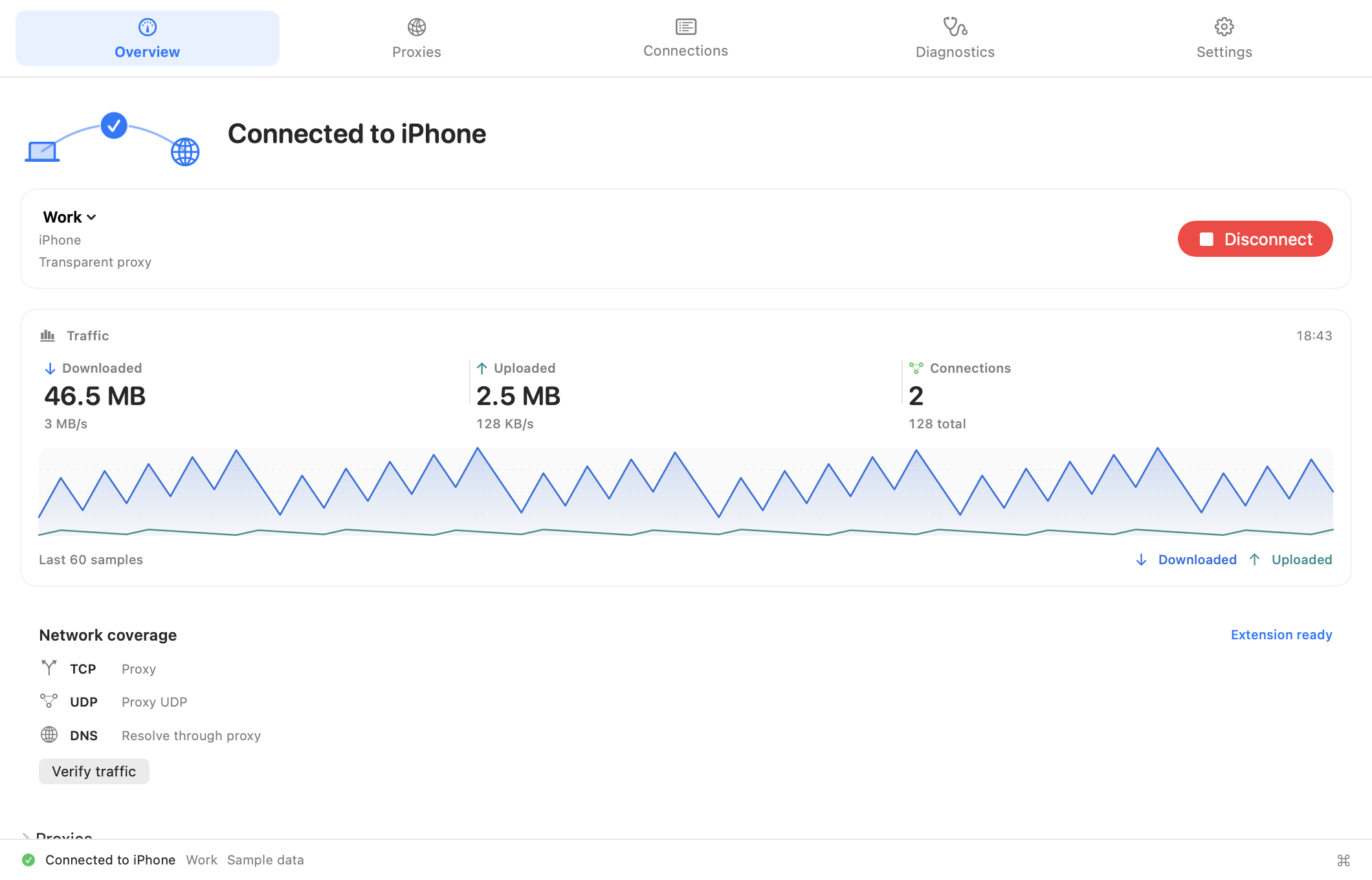
The new iOS workspace puts devices, proxy sessions and connection evidence within reach. Keep the look you like, with more detail when you need it.
Get MonoProxy for iOSPreview of the new iOS interface. Captured in the simulator with local test sessions. Click a screen to enlarge.
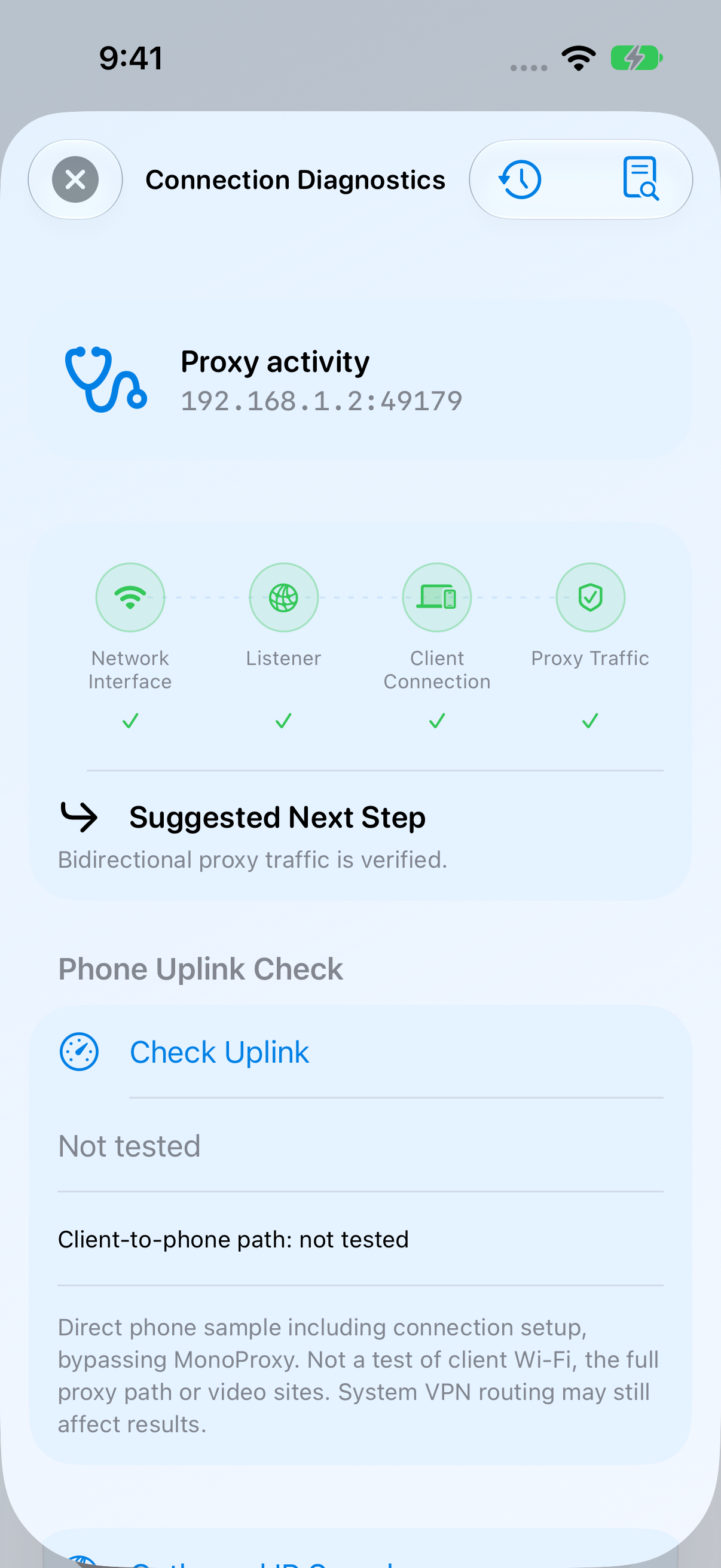
Check the interface, listener, client and verified proxy traffic separately. See the next useful action, then preview a redacted report before sharing.
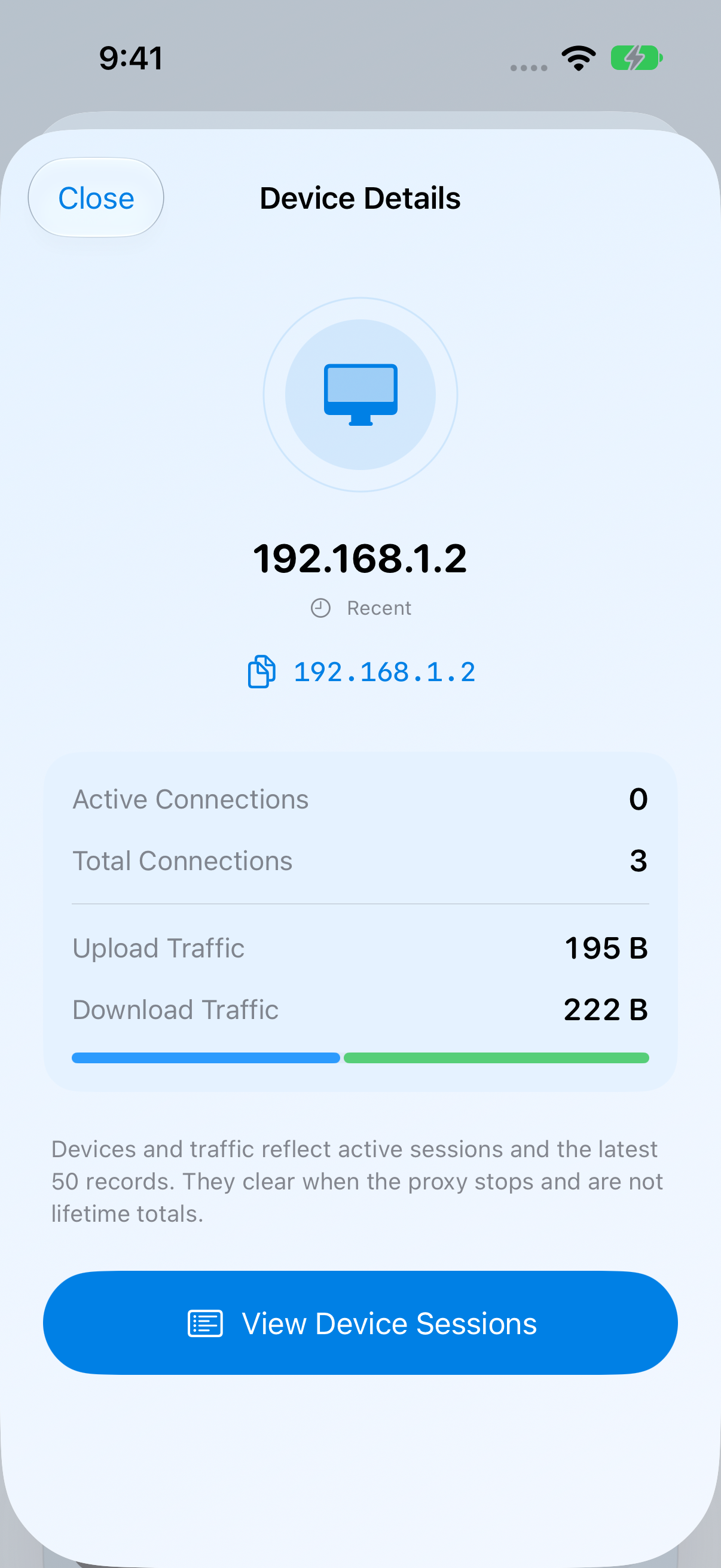
Filter by state, inspect traffic and open a device’s sessions. Disconnect its current sessions or block it when needed.
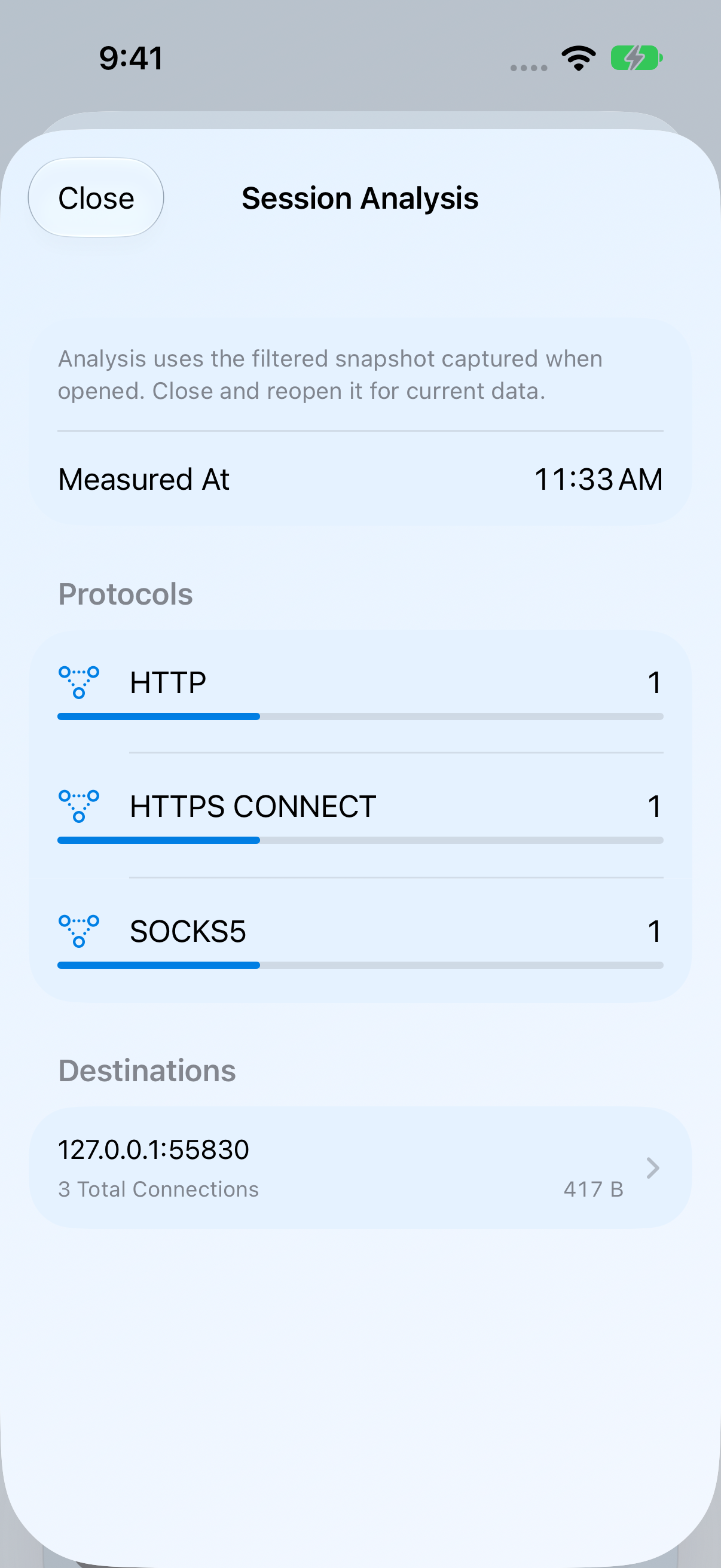
Group the filtered snapshot by protocol and destination. Open the underlying sessions, inspect a failure stage or export the records you need.
Search and sort saved configurations, check local readiness, preview import changes and choose what to export. Duplicating a configuration keeps its authentication requirement without copying its password.
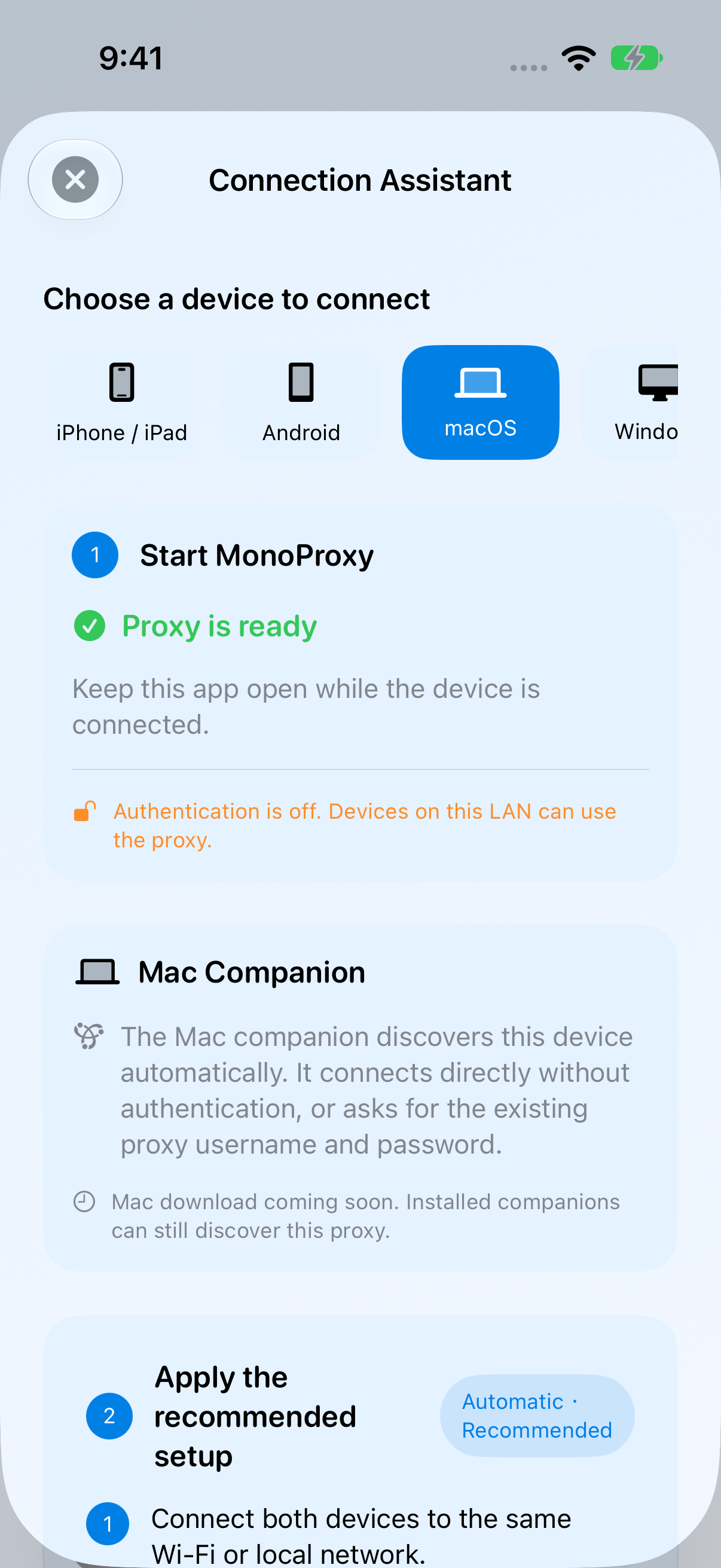
In MonoProxy, open Connect a Device and select macOS. Keep the service running and both devices on the same local network. In Proxy Companion, add the discovered device as a configuration, enter the proxy credentials if required, and connect.
The proxy username and password are values you enter and set for this proxy service in the iOS app. Enter that same username and password when connecting from Proxy Companion. Update the saved credentials on Mac if you change them on your phone.
WorkspaceFAQ
Add the proxy host, port and any required credentials in Proxy Companion. Choose transparent mode to route eligible app connections with per-app rules, or configure proxy-aware apps to use the local relay. You need an existing upstream proxy; the app does not supply hosted servers.
Yes. In transparent mode, create an application rule to use a proxy, connect directly or block eligible connections. TCP rules can also match destinations and ports. Local destinations and some system traffic have exceptions.
Enter and set the username and password for this proxy service in the iOS app’s authentication settings. When enabled, connecting from Proxy Companion requires that same username and password. Save them in Mac Keychain if you want Proxy Companion to reuse them, and update the saved values after changing them on your phone.
MonoProxy attempts to recover on the originally selected network interface. It waits if that interface is unavailable rather than silently switching to another interface. Existing sessions may be interrupted. Check iOS connection diagnostics, review the discovered device and configuration on Mac, then reconnect if needed.
No. MonoProxy runs a proxy server on your iPhone. Proxy Companion is the Mac app that discovers that service and helps your Mac use it. It also supports other standard HTTP, HTTPS CONNECT and SOCKS5 proxies.
Keep the proxy service enabled in MonoProxy and both devices on the same local network. Allow local-network access when prompted. If discovery is unavailable, add the service address and port manually.
Enter the phone service’s proxy credentials in Proxy Companion and save them in Keychain. For connections it manages, Proxy Companion authenticates with the upstream so apps do not need to sign in separately. If the phone’s credentials change, update them in Proxy Companion. Unrelated website or macOS permission prompts are unaffected.
Enable Automatic failover and order your saved configurations. When connecting, Proxy Companion tries eligible backups in the same mode; compatibility-mode sessions can also switch after detected failures. A failed established transparent-mode session blocks proxied traffic and retries its current upstream. Discovery refresh does not switch a working connection, and switching may interrupt existing sessions.
It handles eligible app connections through a network extension, including apps that ignore system proxy settings. Rules decide whether to proxy, connect directly or block. Local destinations and some system traffic have exceptions. Compatibility mode uses the system proxy settings instead.
Proxy Companion connects to an upstream; it does not supply hosted proxy servers. Use the service running in MonoProxy on your phone, or add an existing standard proxy.
UDP proxying requires a standalone SOCKS5 upstream with UDP support. TCP chains do not proxy UDP. HTTP/HTTPS upstreams default to blocking UDP and using system DNS. UDP routing matches apps, not destinations or ports.
TCP supports up to three preceding nodes plus a terminal proxy. HTTP CONNECT and SOCKS5 can be chained. HTTPS is supported only as the first hop; nested TLS and HTTPS terminal proxies are not supported.
Connection exports capture the filtered records and capture time before you save. JSON and CSV exclude application identifiers, destinations and rule names unless you opt in; transport error details are always excluded. Direct and blocked connections have no measured byte totals. Diagnostic reports contain only event stages, result codes and times.
This page previews the 1.7.0 workspace. The public, notarized Mac installer is being prepared. The download button will link to it when it is available.
Discover. Connect. Make it yours.